Introducing Calendar Search: Find Any Event, on Any Calendar
One search box for every calendar you've connected — Google, Microsoft, iCloud, even subscribed ICS links — with filters that actually understand how you think about your schedule.
You know the meeting happened. You just can't remember which calendar it lives on. Was the vendor call on your work account or your personal one? Today that stops mattering: the CalendarBridge unified calendar now has search, and it looks through every calendar you've connected at once.
One search box, all of your calendars
Click the search icon in the calendar's top bar (or start typing in the search overlay) and CalendarBridge searches titles, descriptions, locations, and attendees across every calendar in your unified view — connected accounts and subscribed ICS links alike. Results come back grouped by calendar, color-coded to match your sidebar, so you can see at a glance whether that "Q3 planning" event is on your work calendar, a shared family calendar, or the team ICS feed you follow.
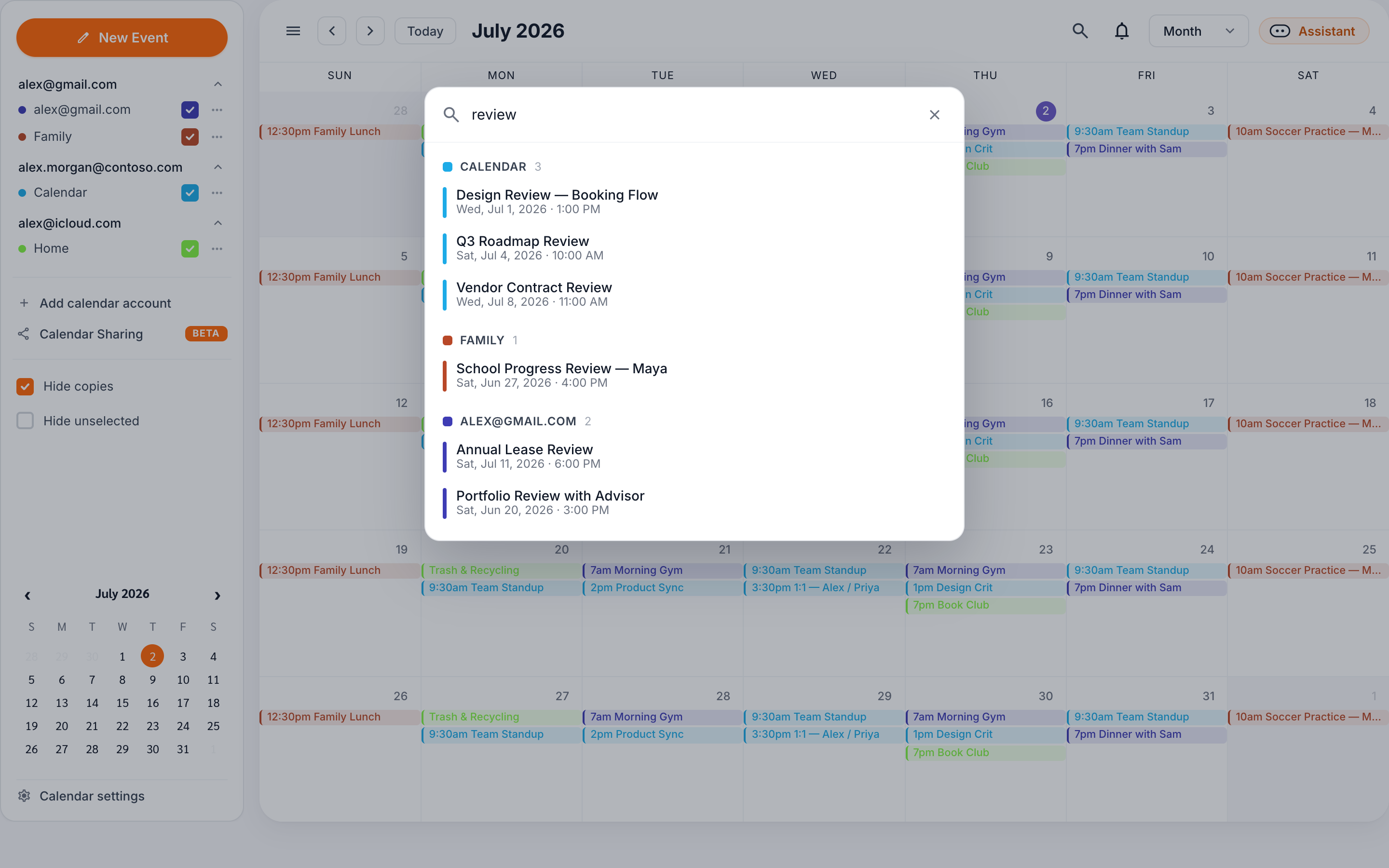
Selecting a result jumps the calendar straight to that event. No more paging month by month trying to remember whether the dentist appointment was in March or April.
Filters for the way you actually remember events
Plain-text search is the fast path, but memory is rarely that tidy. More often it's "that call with Sam, sometime before June." Calendar search understands four filters you can mix freely with regular keywords:
from:sam@acme.com— events with a specific attendee or organizercal:work— limit the search to calendars whose name matchesbefore:2026-06-01— only events starting before a dateafter:2026-01-15— only events starting after a date
So cal:work review before:2026-06-01 finds every event with "review" in it, on your work calendar, from before June — one query instead of five minutes of scrolling.
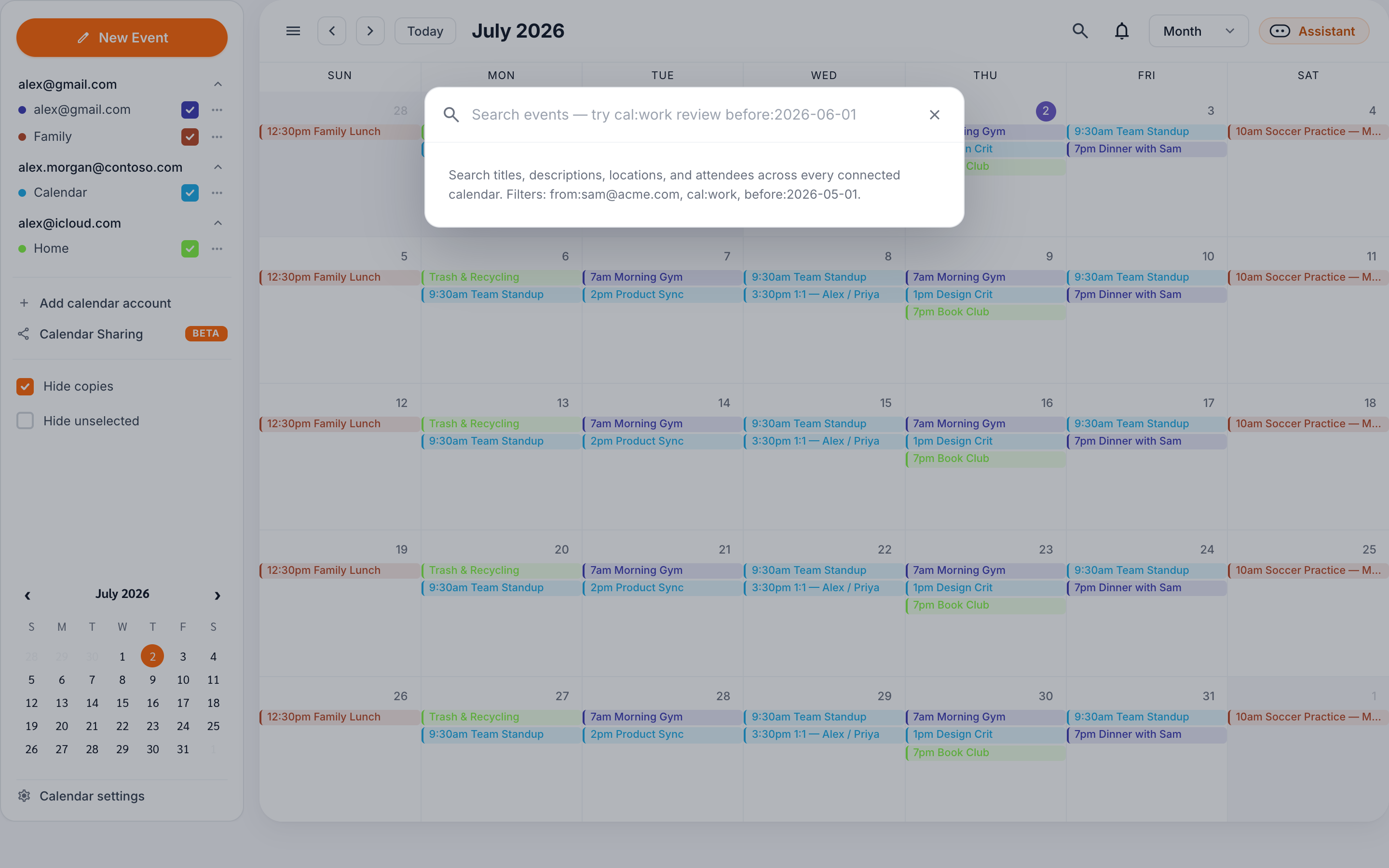
Tip: Filters accept dates as YYYY-MM-DD or M/D/YYYY, and you can combine as many filters as you like in a single query.
Deep search on Google and Microsoft, instant search everywhere
Behind the scenes, search works in two layers. For Google and Microsoft accounts, CalendarBridge queries the provider directly, so matches aren't limited to the events already loaded in your browser — if it's on the calendar, it's findable. For iCloud, CalDAV, and ICS links — the read-only feeds you subscribe to by URL, like a team schedule, a school calendar, or a sports season — search runs against your synced event cache, which means results there are instant.
Both layers feed the same result list with the same filters and grouping, so you never have to think about where an event comes from. You type; everything answers.
Why this matters for calendar power users
CalendarBridge exists because most of us live across two, three, or more calendars. Syncing keeps them from colliding; the unified calendar keeps them visible in one place. Search closes the last gap: finding things across all of them without remembering which account they belong to.
It's available now, on every plan, in the unified calendar view. Open your calendar, hit the search icon, and try the query you've been mentally grepping for all week.
All your calendars. One place. Now searchable.
Connect your Google, Microsoft, and iCloud calendars — or subscribe to any ICS link — and see everything, and find anything, in a single view.
Start Free Trial