Change or Cancel Your Subscription
Updates to your plan or cancellation is simple from within the dashboard.
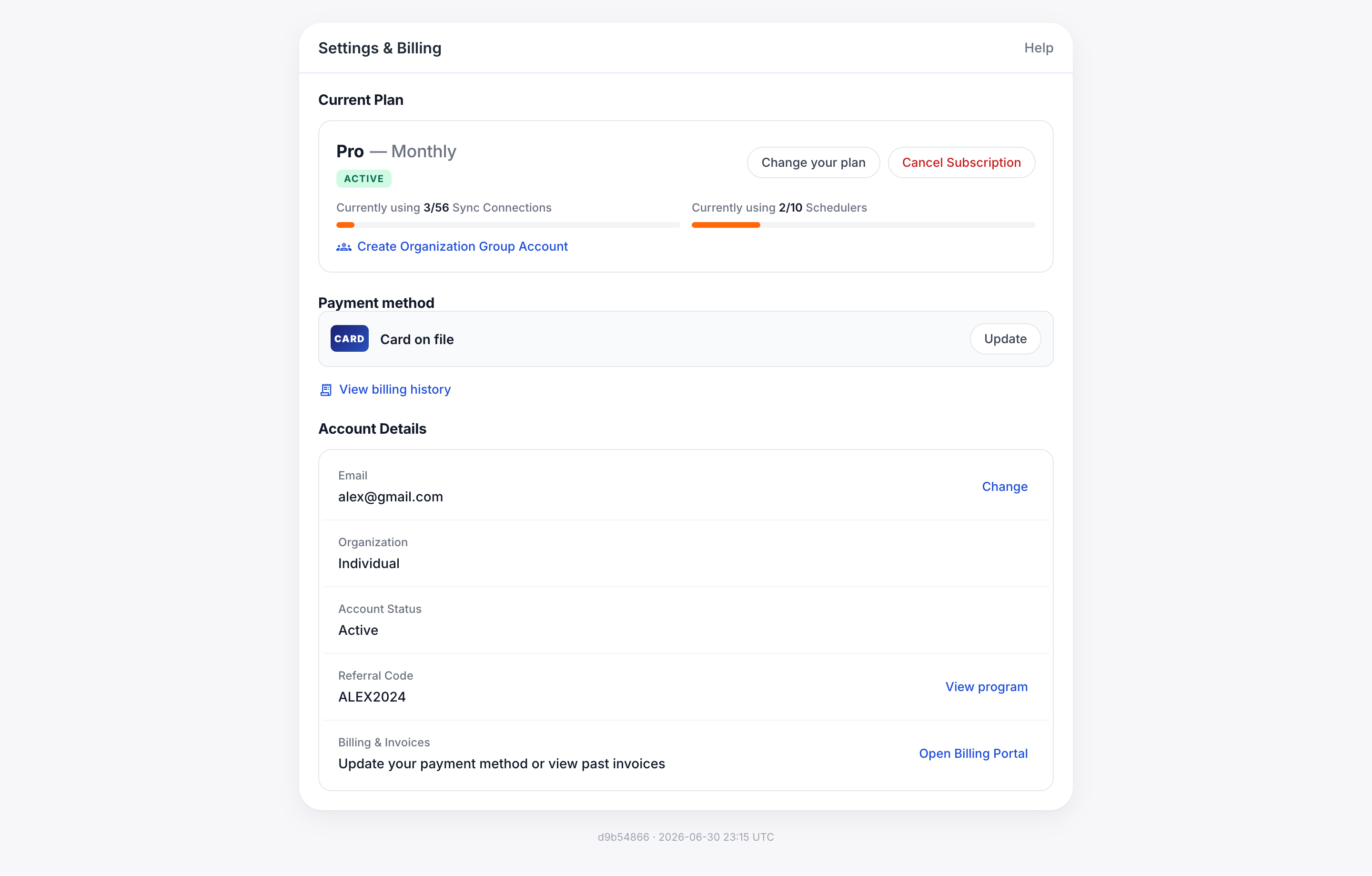
Change Plan or Billing Frequency
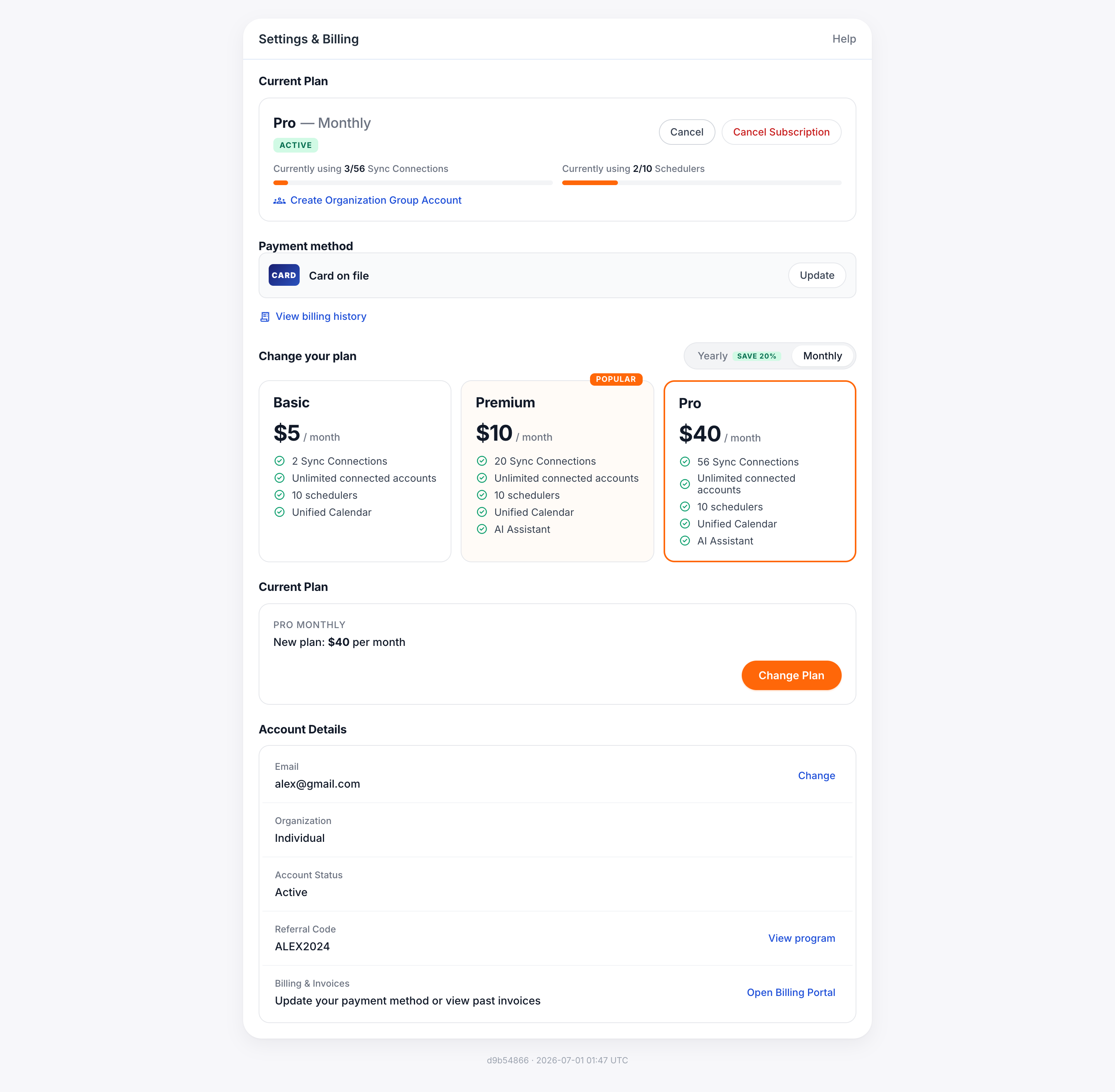
While logged in, click “billing” in the left menu (or just go directly to https://calendarbridge.com/dashboard/settings), and then:
-
Click “Change Plan”
-
Select whether you want monthly or annual billing
-
Select which of the three plans you want.
-
Click Subscribe to Plan
Cancel Your Subscription
-
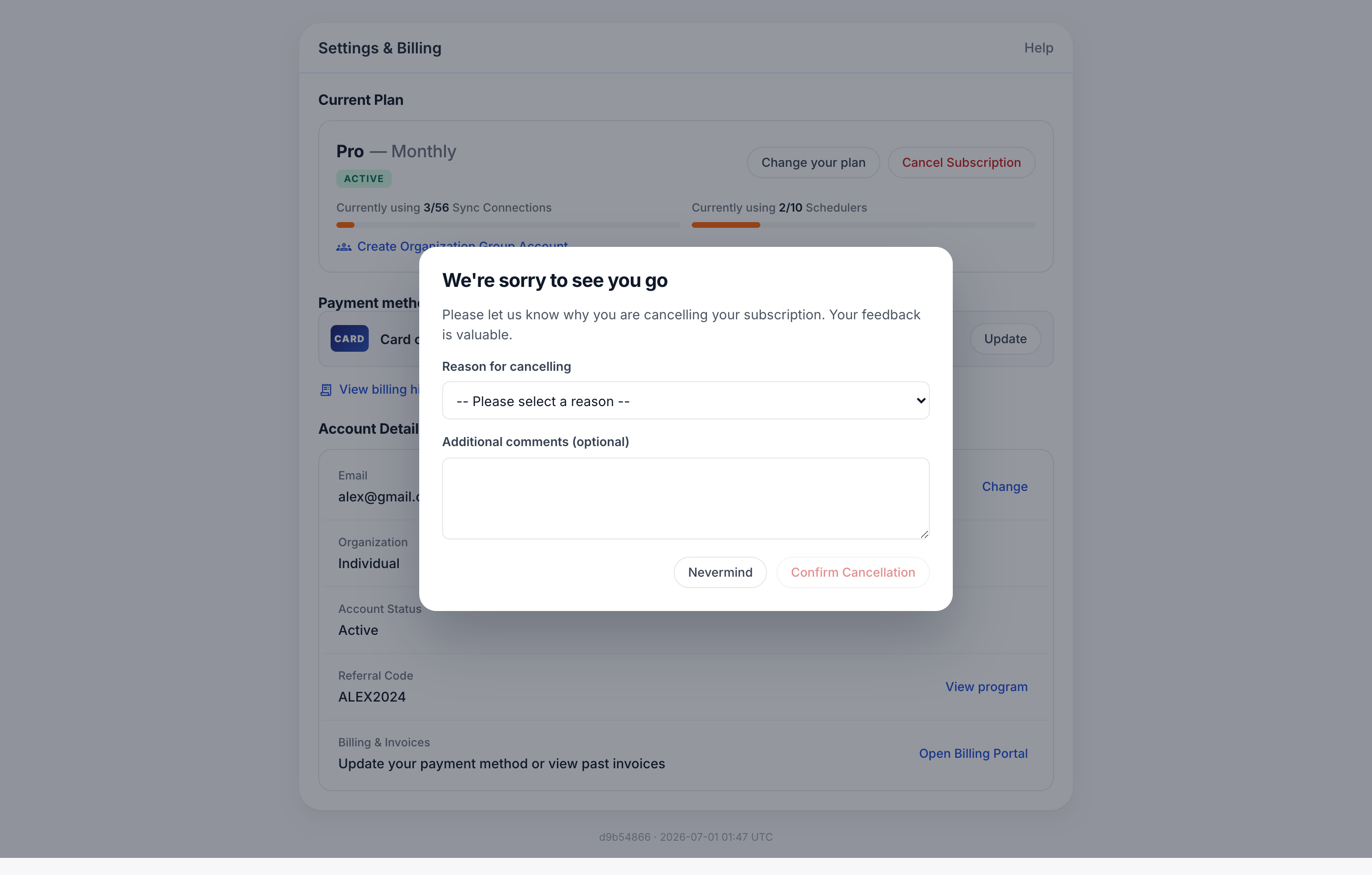
While logged in, click “billing” in the left menu (or just go directly to https://calendarbridge.com/dashboard/settings)
-
Click the “Cancel Subscription” button:
-
In the pop-up confirmation box again click “Cancel subscription”
As noted in the confirmation box, you should receive an email confirming the cancellation. If you do not receive the cancellation confirmation email, please try again. If the problem persists, please contact support@calendarbridge.com to confirm cancellation.