Color coding not working
Color coding of event copies relies on the default Outlook category names. If you have renamed your Outlook categories, here is how to get your event copies to the color you want.
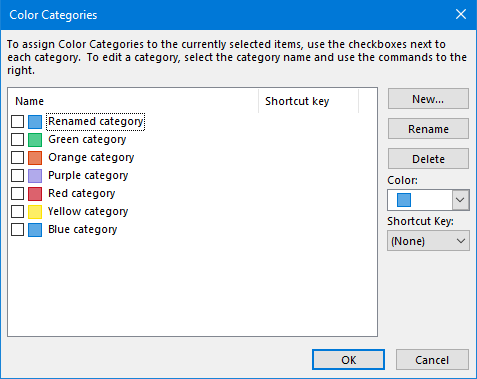
Color coding of event copies relies on the default Outlook category names — “Blue category,” “Green category”, etc. (The match must be exact and is case sensitive!). For users who have renamed their Outlook categories, here is how to get your event copies to the color you want.
In Outlook, you can see the names of your categories from the Home Tab:
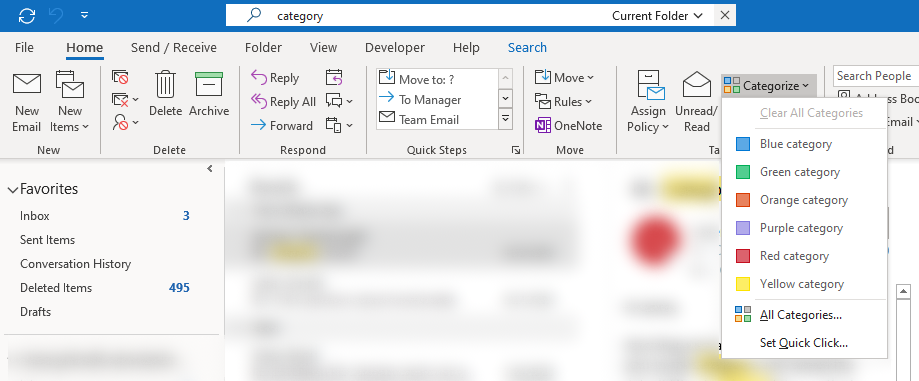
If you have previously renamed the category of the color you want to use for your event copies, you can either:
- rename the category back to its default name (must match exactly, including case); or
- create a new category with the default category name.
To do so, click the “All categories” button in the menu shown above, and then either rename the existing category or add a new category. In the example shown below, the Blue category had been renamed to “Renamed category” so the user has created a new “Blue category.”