Duplicate Events
CalendarBridge has been designed to prevent duplicates of the same event on the same calendar.
CalendarBridge is designed to not generate duplicates of your events. One was we achieve this is that we do not make copies of our own event copies. If you think you have duplicates on your calendar, please read this article.
Viewing both calendars looks like duplicates
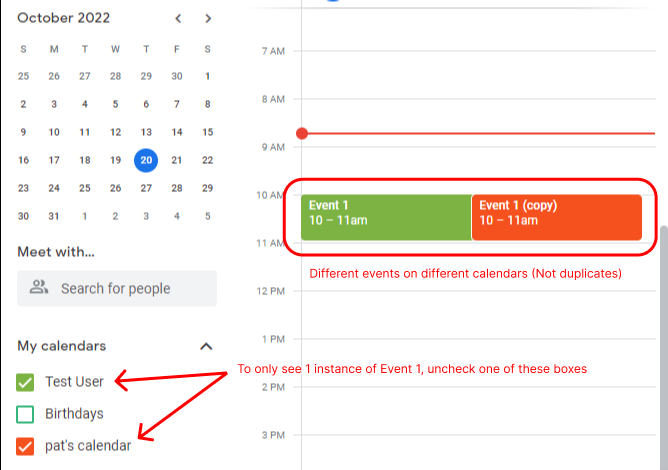
If you are viewing both the source and destination calendar at the same time in your calendar app, then seeing the native event next to the event copy is NOT a duplicate.
General Solution
One solution that works for any calendar app, is to hide one of the calendars — go into the settings on your calendar app and configure it to show only one of the two calendars (in most apps this involves unchecking a checkbox next to the calendar you want to hide):
Outlook Solution
For Outlook, there is a another solution: How to hide CalendarBridge copies in Outlook to reduce clutter.
Unified Calendar Solution
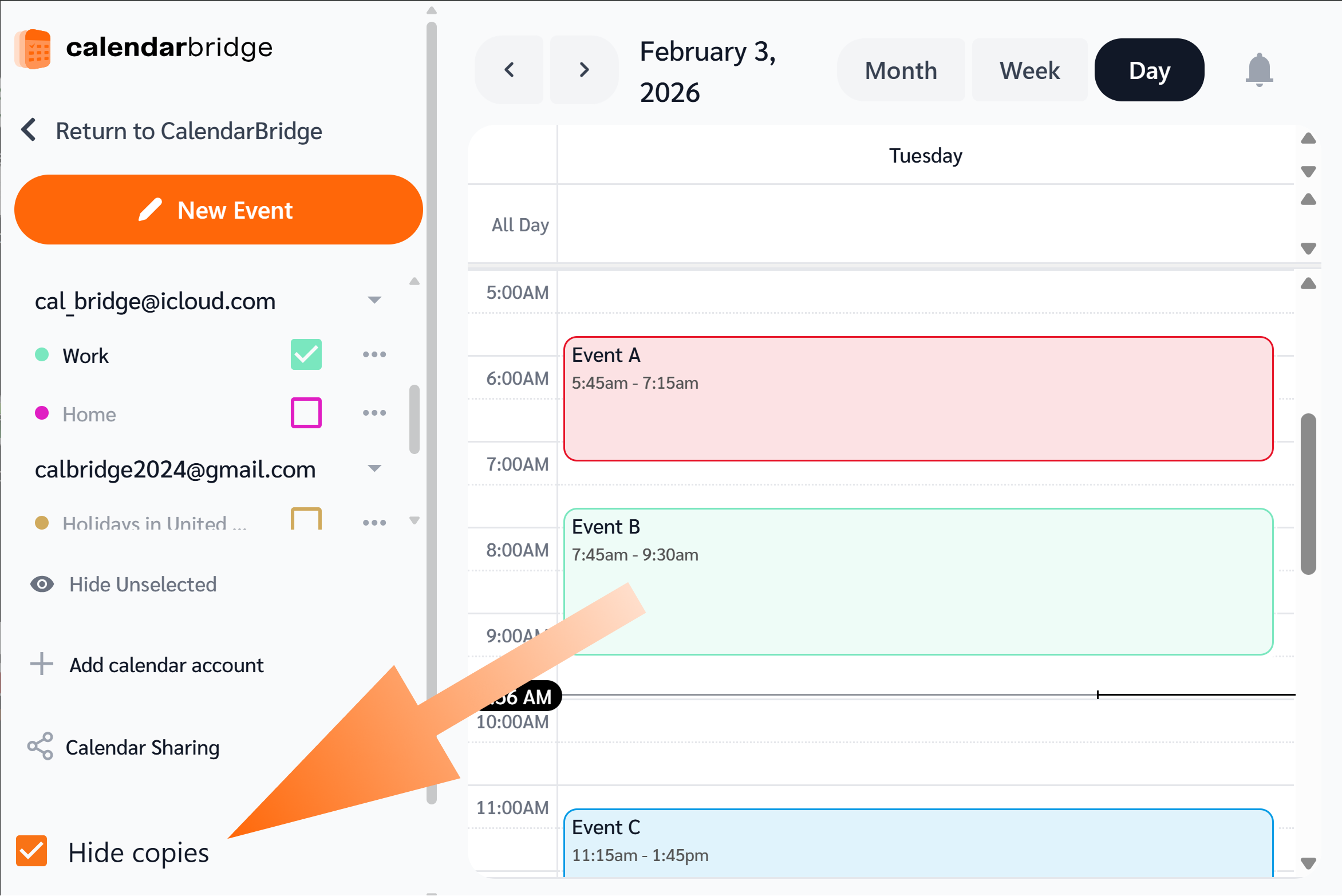
Another option is to use the CalendarBridge Unified Calendar, which has the ability to hide the copies that we made.
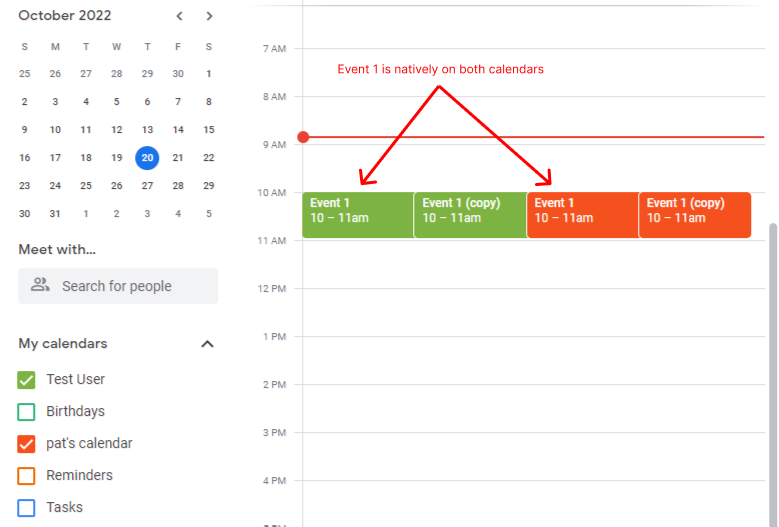
An event being natively on both calendars will result in duplicates
If “Event 1” natively exists on both Calendar A to Calendar B, CalendarBridge will see them as two different events. A sync connection from Calendar A to Calendar B will result in Calendar B having both “Event 1” (the native event), and “Event (copy)” (the copy of “Event” from Calendar A that we made).
The best solution here is to:
- delete any duplicate events before creating a CalendarBridge sync connection; and
- do not forward invites from Calendar A to Calendar B
Another option is to use the CalendarBridge Unified Calendar, which has the ability to hide the copies that we made.
Simple Practice causes duplicates
Simple Practice is the only software we are aware of that causes CalendarBridge to create actual duplicates. Simple Practice overwrites our events and does not preserve the metadata that is used to keep track of copies. In other words, CalendarBridge is not compatible with Simple Practice.
If all else fails, do a resync
If none of the above apply, then you possibly have experienced a rare circumstance of an actual duplicate – i.e., a destination calendar having multiple copies of the same event.
If this happens, you can:
- do nothing (if they don’t bother you);
- manually delete them (using tags, as recommended, makes it easy to identify and delete copies); or
- resync the sync connection