Create a public calendar feed
Share a read-only feed of any calendars you pick as a web link, ICS subscription, or website embed — with full event details or busy-only availability.
A shareable calendar (also called a public calendar feed) is a read-only view of one or more of your calendars that anyone can open in a browser, subscribe to from their own calendar app, or see embedded on your website — no CalendarBridge account required on their side. You choose exactly which calendars are included and how much event detail is visible, right down to a busy/free-only view.
Create a shareable feed
-
Open Calendar Sharing and create a new feed.
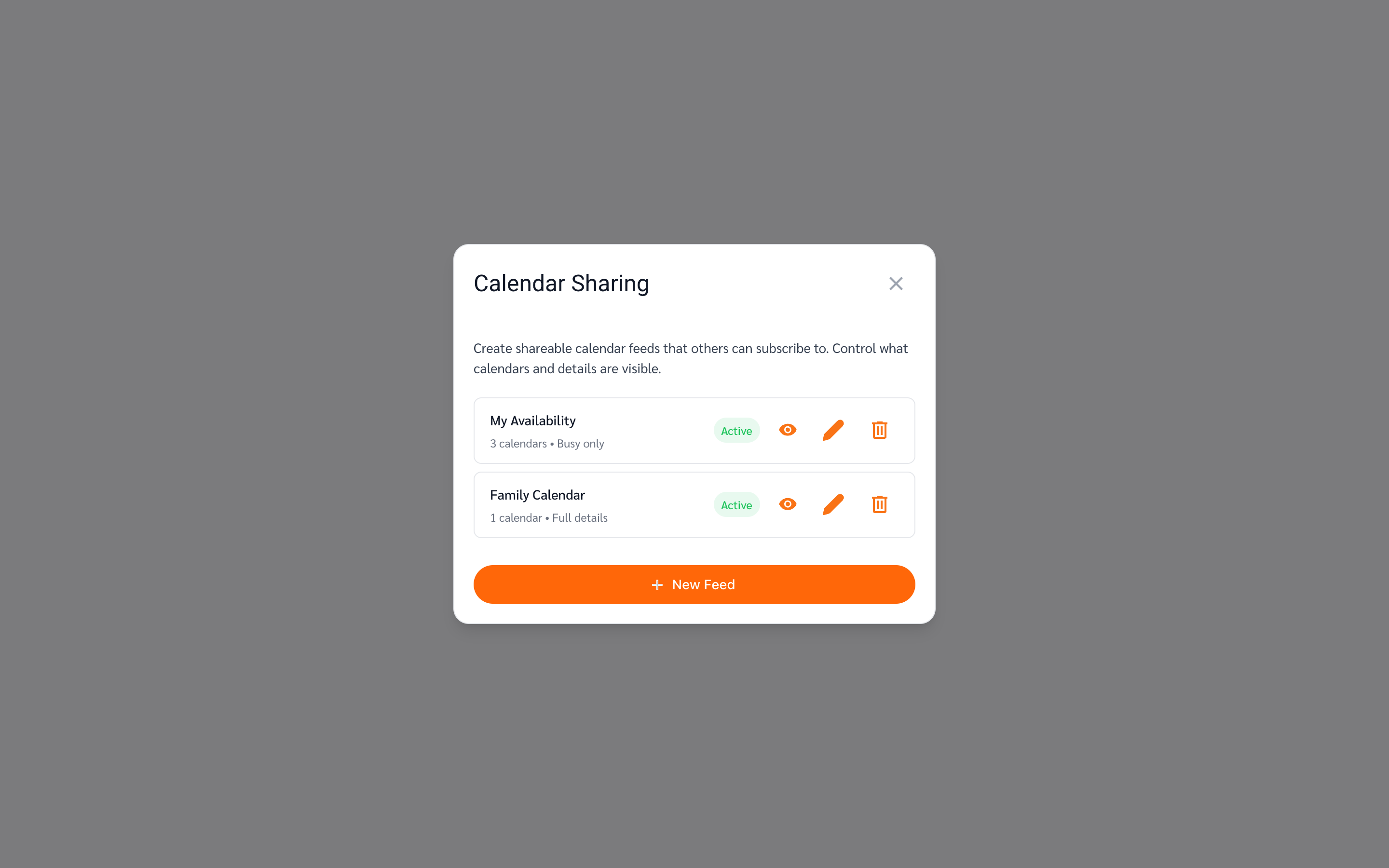
Open your unified calendar and click Calendar Sharing in the left sidebar (below your calendar list). The dialog lists any feeds you’ve already created. Click New Feed.
-
Configure the feed.
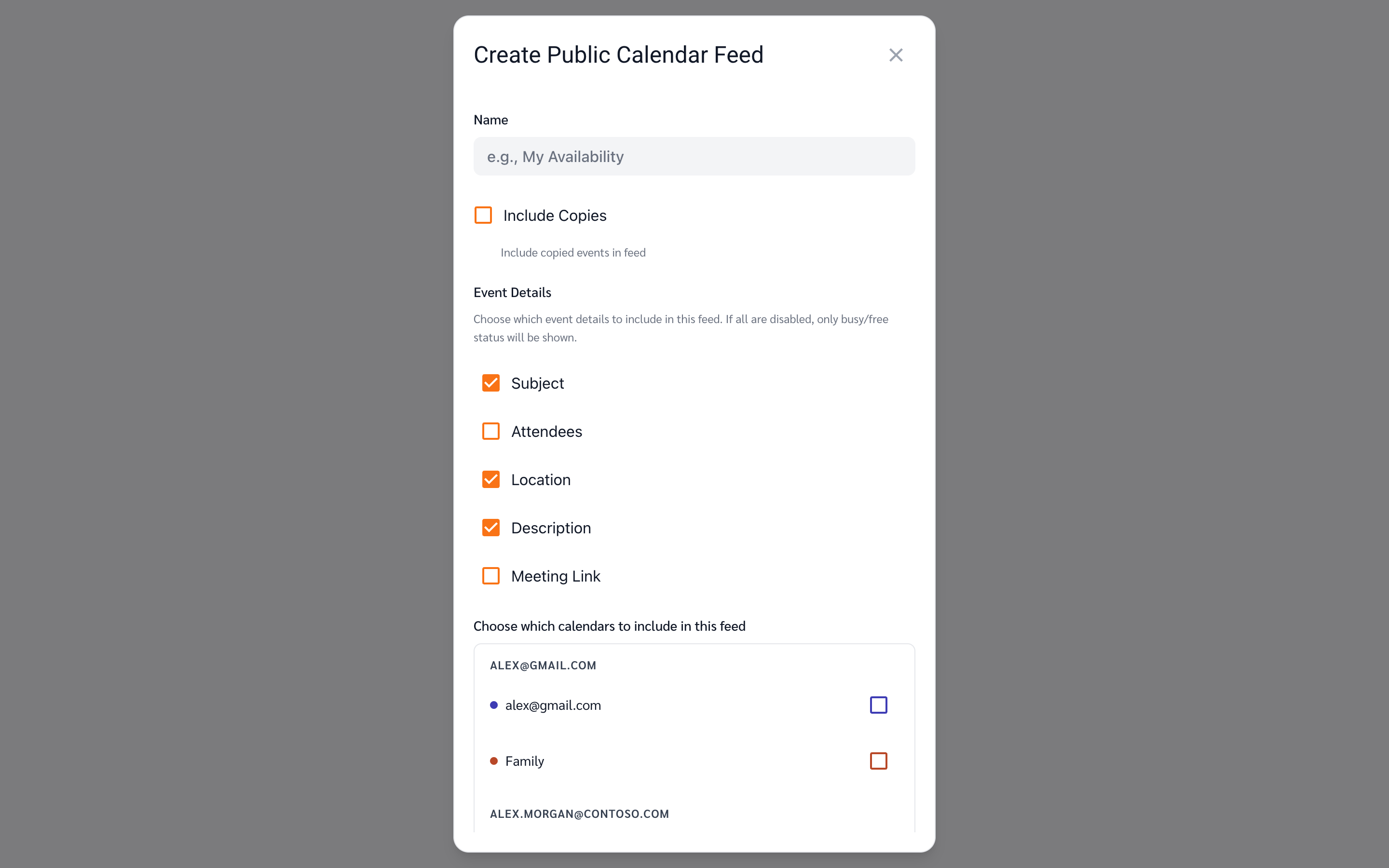
Give the feed a name (this is the title people see), then choose what it shows:
- Include Copies — whether events that CalendarBridge synced into a calendar as copies appear in the feed. Leave this off to avoid showing the same meeting twice when you share both the original and the synced calendar.
- Event Details — tick which fields are visible: Subject, Attendees, Location, Description, and Meeting Link. If you untick all of them, the feed shows only busy/free blocks — perfect for sharing availability without revealing what you’re doing.
- Calendars — pick any combination of calendars across all your connected accounts. This is what makes the feed a single aggregated calendar.
-
Click Create.
The feed is created and its sharing links open right away.
-
Share the calendar.
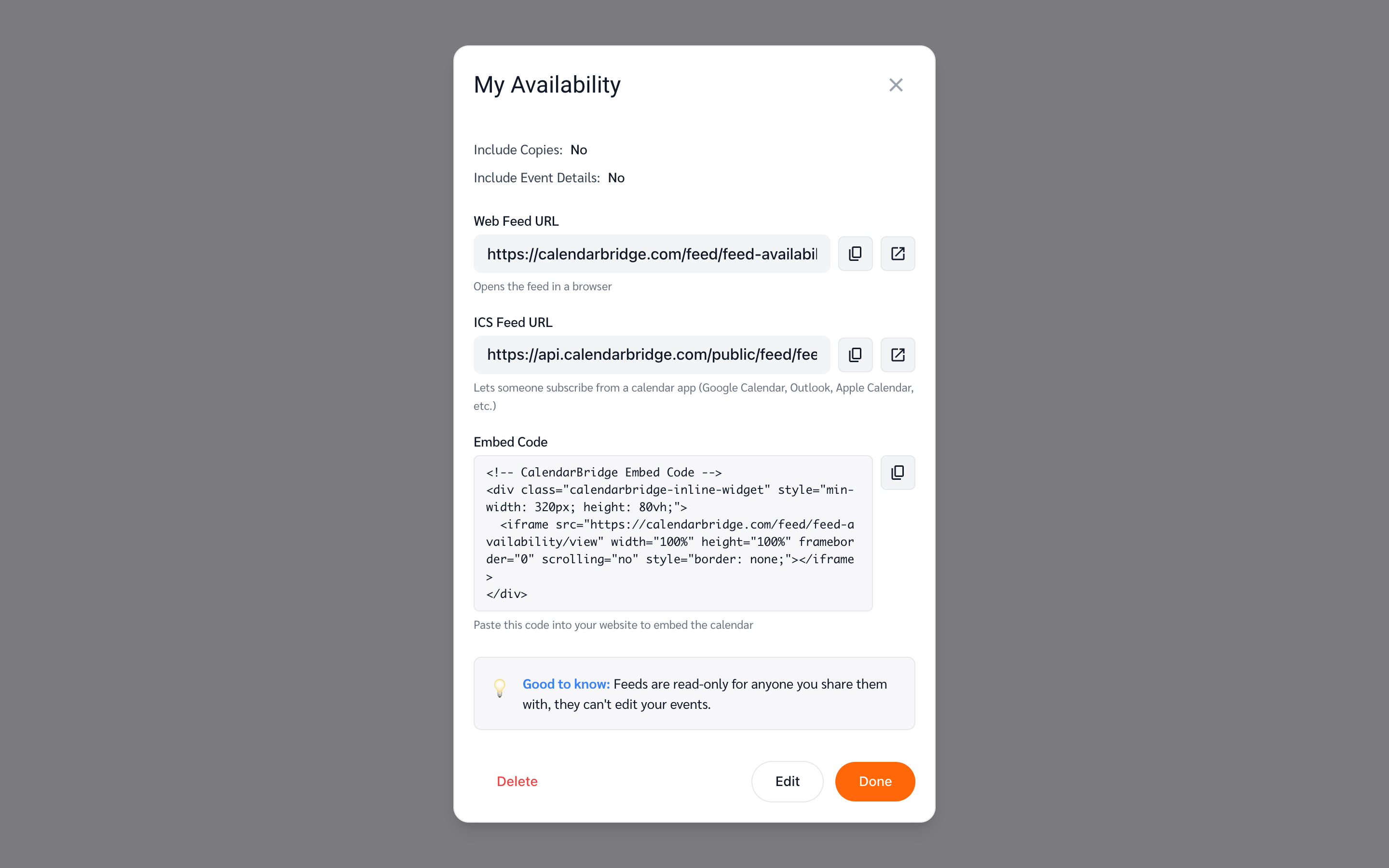
Every feed gets three ways to share it:
- Web Feed URL — a link that opens the calendar in any browser.
- ICS Feed URL — a subscription link for calendar apps. The recipient adds it as a subscribed/internet calendar in Google Calendar, Outlook, Apple Calendar, or anything else that speaks ICS, and it stays up to date automatically.
- Embed Code — a snippet you paste into your website’s HTML to show the calendar inline, similar to embedding a video.
Use the copy button next to each one. You can reopen these links any time from the feed’s visibility View Details button in the Calendar Sharing dialog.
What people see
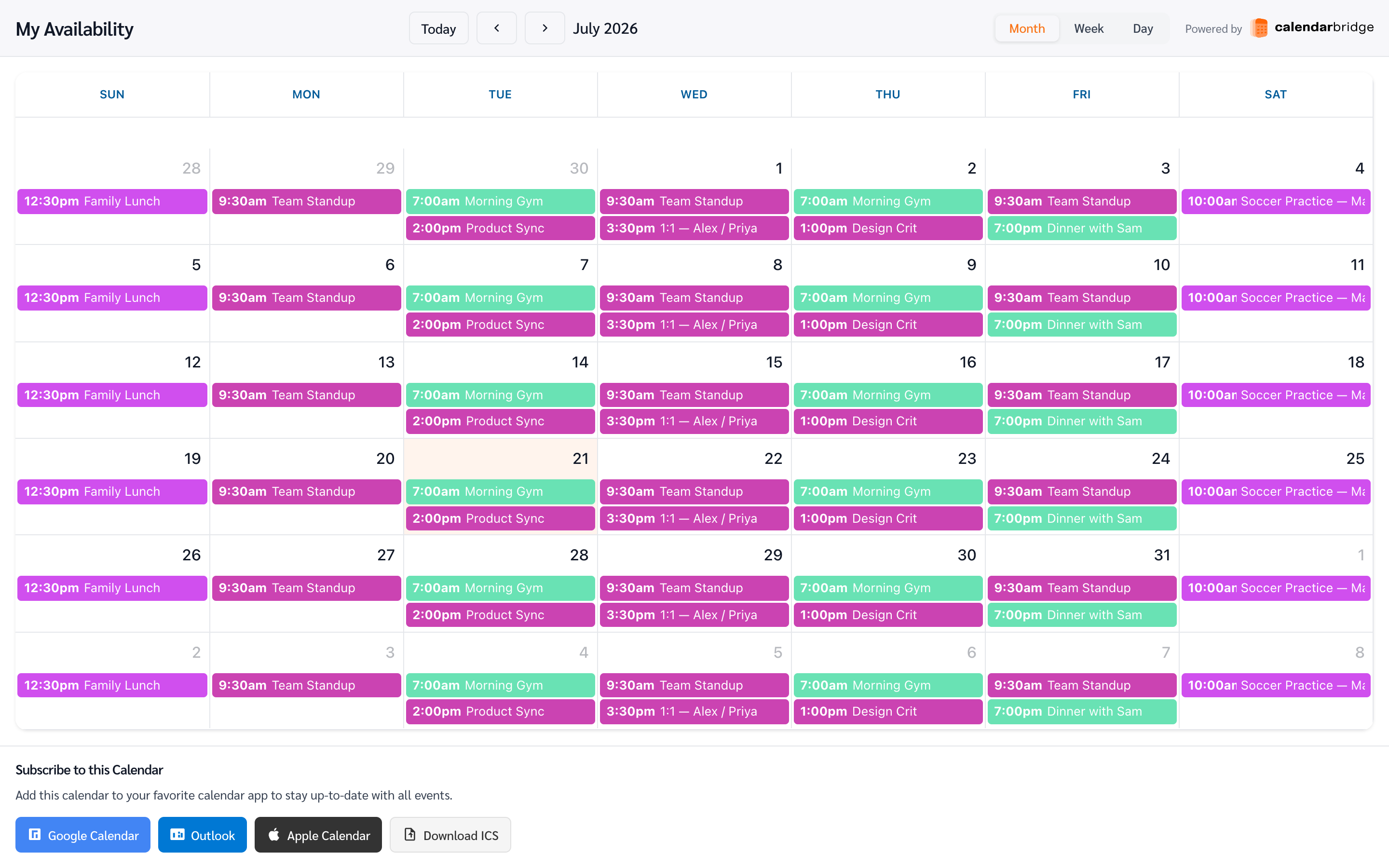
The web view (and embed) shows the combined events from every calendar you included, color-coded per calendar, with month, week, and day views. A Subscribe to this Calendar bar underneath gives one-click buttons for Google Calendar, Outlook, and Apple Calendar, plus a direct ICS download.
Feeds are read-only: viewers can look, but they can’t edit, move, or delete your events. If you disabled all event details, they see only busy blocks with no titles.
Sharing availability without the details
Untick every field under Event Details and the feed becomes a busy-only view: viewers see the blocks of time you are booked, with no titles, attendees, locations, descriptions, or meeting links.
This is the piece the calendar platforms do not all give you. Google Calendar has a “See only free/busy (hide details)” sharing permission and Outlook has an availability-only level, but iCloud has no equivalent at all — a shared or published iCloud calendar always carries full event details. A busy-only feed covers that gap, and because a feed can span accounts, one link can show your combined availability across iCloud, Google, and Outlook at once.
See share an iCloud calendar as free/busy only for that case in full.
Managing your feeds
Back in Calendar Sharing, each feed row shows how many calendars it includes and whether it shares full details or busy-only, along with three actions:
- View Details — reopen the share links (web, ICS, embed).
- Edit — rename the feed, change the visible details, or add/remove calendars. Everyone using the links sees the change immediately; the URLs stay the same.
- Delete — permanently removes the feed. Anyone using its links loses access, and subscribed calendars stop updating.